SlideCrafter AI
Production
SlideCrafter AI Pro
Turning Probabilistic LLM Output into a Deterministic Presentation Compiler
I did not start this project because the world needed another "AI presentation generator." I started it because I kept seeing the same structural failure in knowledge work: people were not struggling to write sentences, they were struggling to convert raw research into a presentation that had narrative force, visual hierarchy, and enough technical credibility to survive a serious room. The hard part was never the slide count. The hard part was turning messy context into a deck that could persuade.
That is the real problem SlideCrafter AI Pro is trying to solve.
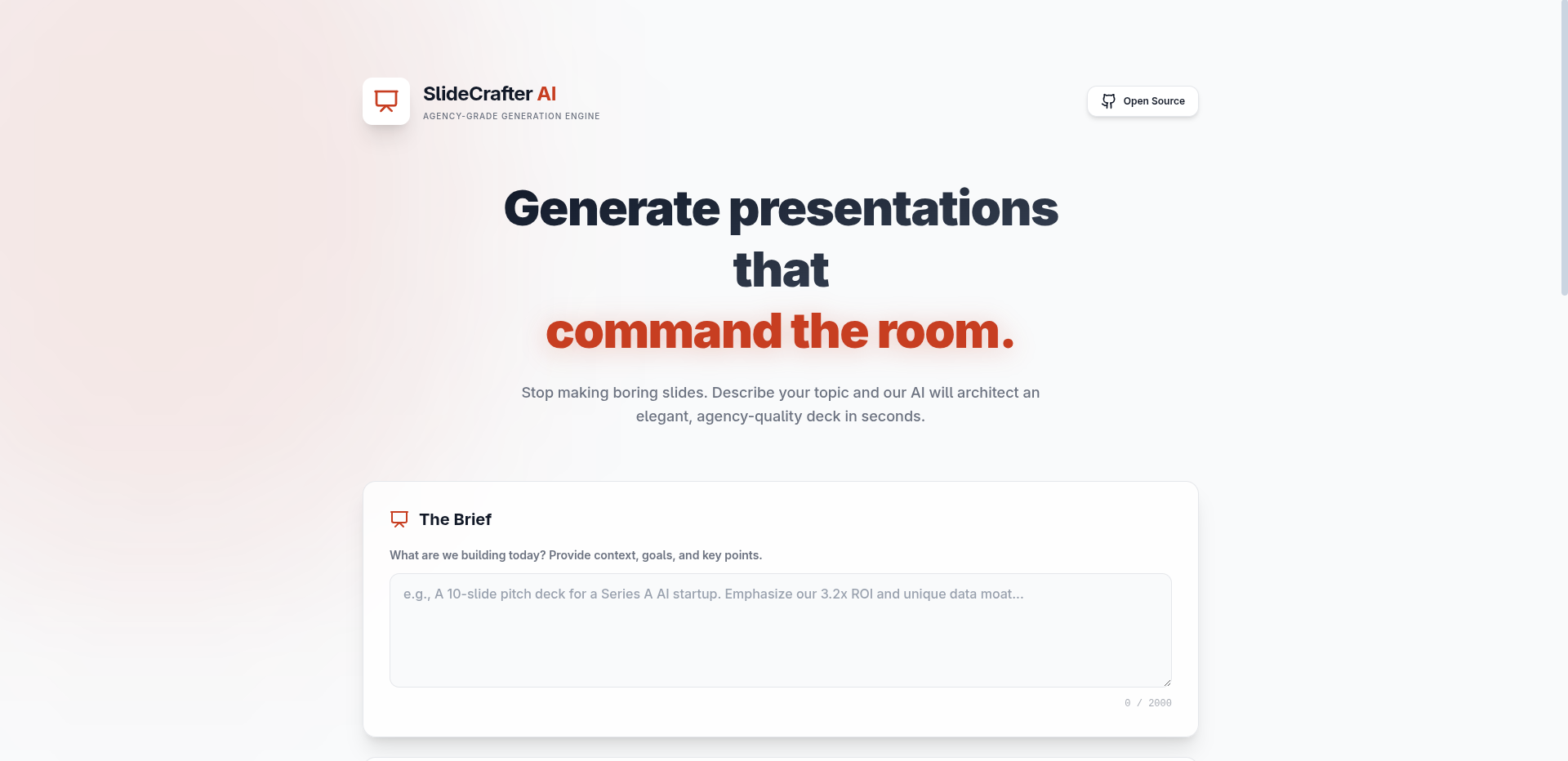
At a product level, the promise sounds simple: a user drops in a brief, optionally adds PDFs, spreadsheets, and images, chooses a model, and gets back an editable PowerPoint deck. Under the hood, though, this is not a text-generation problem. It is a compiler problem disguised as a SaaS product. The system has to ingest ambiguous input, produce a structured intermediate form, recover from model drift, validate layout decisions, and finally emit a binary office artifact that Microsoft PowerPoint will actually open without corruption.
That shift in framing changed everything about how I designed the system.
The Product Thesis
The core thesis is that presentation quality breaks when content generation and visual composition are treated as the same task. Most tools ask a model for "slides" and hope the output is coherent. I took a different route: the model is not asked for final slides. It is asked for a structured payload containing:
- Deck metadata.
- Theme primitives.
- Slide navigation metadata.
- A builder script that programmatically draws the deck.
That builder script becomes the critical artifact. In other words, the model is not the presentation engine. The model writes instructions for the presentation engine.
This is why the architecture ended up looking more like a constrained code-generation pipeline than a typical chat app. The frontend is React + TypeScript + Vite. The output engine is primarily pptxgenjs running in the browser. There is also a local-development Python bridge for python-pptx, but the browser-native path is the default because it preserves the local-first trust model and removes the need for a server-side compilation tier.
The most important design decision in the whole product was choosing to compile in the browser instead of on a hosted backend.
That one decision solved three product problems at once:
- It removed server queueing and cold-start latency from export.
- It reduced the operational burden of storing user decks and assets.
- It created a much cleaner privacy story for users who are pasting sensitive research into the system.
But that decision also introduced the hardest technical challenge in the project: once execution happens in the browser, every mistake in model output becomes my problem immediately and synchronously.
The First Hard Truth
The first version of this product assumed that if I wrote a sufficiently strict prompt, the model would return valid JSON, valid code, valid coordinates, valid colors, valid chart data, valid image handling, and the exact number of slides requested.
That assumption failed fast.
The failure mode was not dramatic. It was worse: it was statistical. The model would be correct just often enough to be dangerous. It might generate eight slides when asked for ten. It might return JSON wrapped in markdown fences. It might leak TypeScript annotations into plain JavaScript. It might use smart quotes. It might forget await on an async icon helper. It might place a decorative line straight through a multi-line title. It might overflow the right edge of the canvas by 0.2 inches, which sounds small until you open the exported deck and the layout looks amateurish.
This is where I stopped treating the model as an oracle and started treating it as an unreliable code emitter.
That led to the actual system shape:
Phase 1: Input enrichment
The user can provide a short prompt, a long research memo, or extracted context from uploaded files. PDFs are parsed with pdfjs-dist, DOCX with mammoth, spreadsheets with xlsx, and images are sent through Gemini Vision for information extraction rather than direct embedding. That distinction matters. Images are not treated as visual assets at upload time; they are treated as data sources.
This creates a unified research context layer before generation even starts.
Phase 2: Structured generation
The app talks to either Gemini or GitHub Models. Both providers are hidden behind the same conceptual contract: generate one JSON object with a title, theme, slide list, and a complete build(pptx, brand, utils) script. The shared schema acts as an intermediate representation. That IR is what makes provider switching possible without rewriting the rest of the system.
This is classic ports-and-adapters thinking, even if I did not start with that label in mind.
Phase 3: Sandboxed preview compile
Before any real .pptx file is built, the generated script is executed against a mocked PowerPoint runtime. Instead of drawing into a real deck, it records shapes, texts, images, and charts into a lightweight in-memory model. That mock layer is the product's shadow interpreter. It lets me inspect the output structurally before I let it produce a user-facing artifact.
This was the point where the product stopped being a prompt wrapper and became an actual system.
Phase 4: Layout validation
The mock output is then audited for boundary violations, bottom-edge overflow, right-edge overflow, suspiciously dense text blocks, and large text collisions. This matters because LLMs are bad at continuous geometry. They are pattern machines, not layout solvers. If you let them place arbitrary elements directly into a slide canvas without validation, they will eventually produce something that is technically "complete" but visually broken.
Phase 5: Healing loop
When the script crashes or fails layout validation, the broken script plus the failure diagnostics are sent back to the model for repair. That healing loop runs up to a bounded retry count. The key insight here is that the model is better at fixing its own output when given concrete runtime evidence than when given abstract style instructions up front.
I am not asking the model to be perfect. I am asking it to converge.
Phase 6: Real export
Only after the script survives the mock compile and validation pass do I execute it against a real pptxgenjs instance and package the deck for download. If the user is running locally and explicitly chooses the Python path, a Vite middleware bridge serializes the same deck JSON to disk, hands it to a Python builder, and streams the resulting file back.
That dual-engine setup looks redundant on the surface, but it taught me an important systems lesson: fallback engines are useful not just for resilience, but for forcing clarity about where your true intermediate representation lives.
The Technical Hassles That Actually Hurt
The hardest problems were not syntax errors. The hardest problems were failures that looked semantically plausible while being operationally wrong.
1. Output truncation is a systems problem, not just a prompt problem
Large decks require huge output budgets because the model is generating both metadata and drawing code. That means token economics become architecture. I had to scale model choice and output limits based on requested slide count, otherwise long decks would silently truncate. A ten-slide deck is not "25% more work" than an eight-slide deck in this model. It is a disproportionate increase in generation risk because the script field dominates the payload size.
2. JSON with embedded JavaScript is hostile to parsers
Once the model returns JSON containing a giant script string, every escaping error becomes catastrophic. Invalid backslashes, half-escaped quotes, markdown fences, stray control characters, and smart quotes all showed up in the wild. I ended up building a multi-pass parser recovery path instead of pretending a single JSON.parse() call was enough. That was one of the strongest reminders in the project that model output should be treated like untrusted network input.
3. Visual QA had to become structural QA
I originally thought I could judge quality from the preview itself. That was naive. By the time something is visually wrong in a rendered slide card, the bug is already late in the pipeline. The better move was to validate the recorded abstract slide model before export. Once I started checking bounding boxes, text density, and overlap heuristics in the mock runtime, the system became much more predictable.
4. Third-party image generation is a reliability trap
Fetching images from an external generator sounds straightforward until you need the final .pptx to remain valid even when the image host is slow, unavailable, or returns something PowerPoint does not like. The solution was to prefetch remote images as base64 and embed the binary payload directly. That reduced corruption risk, but it also made me more aware of how fragile "simple" media dependencies become once you are generating office files instead of HTML.
5. Multimodal input makes the product better and the trust boundary messier
File upload support massively improves output quality because the system can mine real PDFs, documents, spreadsheets, and charts instead of hallucinating generic business language. But the second you let users bring documents into the pipeline, your product is no longer just a creative tool. It becomes a data-handling system. That raises the bar for privacy language, limits, error handling, and explicit user trust.
6. The browser-local story is true, but only partially true
Yes, compilation happens client-side. Yes, there is no mandatory hosted export backend. But users still send prompts and extracted research context to Gemini or GitHub Models, and images may be fetched from an external provider. That means the honest story is "local-first compilation with external inference dependencies," not "your data never leaves your machine." Senior engineers notice the difference, and they should.
Security: What Is Good, What Is Weak, and What I Would Harden Next
This project forced me to think about security in layers rather than slogans.
The strongest security decision is the local-first compilation model. By keeping the deck build path in the browser, I avoid a server-side queue that would otherwise handle raw prompts, generated scripts, binary assets, and final presentation files. That meaningfully reduces backend blast radius.
The second strong decision is input bounding on uploads. The file pipeline enforces supported extensions, per-file size limits, total payload limits, and file count limits. That is basic hygiene, but in file-heavy SaaS tools, basic hygiene is often the line between a pleasant feature and an accidental denial-of-service vector.
The third strong decision is making image upload analysis informational rather than automatically visual. I do not blindly pipe user-uploaded images into generated slides. I extract information from them. That keeps the design pipeline semantically focused and reduces accidental asset sprawl.
That said, the current system also has real weaknesses, and I would not hide them in a serious case study.
1. API key storage is a convenience tradeoff
The UI stores the user's API key in localStorage for convenience. That improves usability, but it also means any XSS issue would immediately become a credential exposure path. On a shared machine, it is also just bad secret hygiene. If I were taking this to a stricter production posture, I would move toward ephemeral session handling, optional OS-backed secure storage via a desktop shell, or a server-issued short-lived proxy token.
2. The Gemini API key is placed in the request URL
Because of the way the client request is currently constructed, the key is embedded in the query string. In a browser-only model this is workable, but it is still not ideal. URLs have a long habit of ending up in places developers forget about: browser history, debugging tools, screenshots, extension surfaces, and accidental logs. A more mature deployment path would proxy requests through a hardened backend or gateway that can absorb provider quirks without exposing raw secrets directly to the client runtime.
3. new Function(...) is the biggest red flag in the whole stack
This is the deepest security issue in the current implementation.
The product describes the preview stage as sandboxed, and functionally it is sandboxed relative to the PowerPoint API surface because the model only receives pptx, brand, and utils. But from a real JavaScript security perspective, new Function() is not a hardened sandbox. It executes in the global realm. A malicious or unexpectedly compromised script can still attempt to reach ambient browser capabilities.
This is the kind of issue that junior builders often wave away because "the model generated the code." Senior builders know that generated code is still code.
If I were hardening this for a more hostile environment, my next steps would be:
- Replace direct
new Function()execution with AST parsing and an allowlisted command grammar. - Run execution inside an isolated Worker or sandboxed iframe with a strict message-based capability boundary.
- Lock down network egress for the execution environment.
- Add CSP protections and remove any possibility of the generated script touching DOM or storage primitives.
In other words, I would move from a cooperative sandbox to an enforced sandbox.
4. Third-party inference is a supply-chain trust decision
The product currently depends on external model providers and an external image service. That is acceptable for a solo-built SaaS product at this stage, but it means privacy guarantees are only as strong as the chosen providers and the clarity of user disclosure. The honest design move is not to hide that dependency. It is to make it explicit and configurable.
Pattern Recognition: The Real Senior-Level Work
The most valuable thing I learned building this was not a library trick. It was failure pattern recognition.
Once you build enough of these systems, you realize that model bugs are rarely random. They cluster.
I started seeing the same classes of defects over and over:
- The model would satisfy semantic intent but violate geometric constraints.
- It would remember to fetch icons but forget
await. - It would generate image regions with no fallback path.
- It would drift from JavaScript into TypeScript syntax.
- It would give me the correct
slides[]metadata while under-generating actualaddSlide()calls. - It would produce long, plausible text blocks that simply could not fit inside the assigned height.
- It would output valid code that was visually bad, which is much harder than outputting invalid code.
That pattern recognition changed how I built the product.
Instead of trying to make the prompt "perfect," I built the system around known defect classes:
- Parsing recovery for invalid JSON and malformed script strings.
- Runtime shadow execution against a mock presentation engine.
- Heuristic layout validation for geometry and density.
- A bounded self-healing loop using concrete diagnostic feedback.
- Provider abstraction so I could compare model behavior across engines.
- Stronger prompt constraints around slide count, data density, and image fallbacks.
This is the part of the project that feels most like systems design rather than feature development. I am not just handling errors. I am building a taxonomy of failure and then encoding that taxonomy into the product.
That is what made the system feel less like prompt engineering and more like software engineering.
Architectural Patterns I Ended Up Using
A few design patterns emerged naturally:
- Intermediate Representation: the JSON payload is the contract between generation and rendering.
- Adapter Pattern: Gemini and GitHub Models are different providers behind one generation interface.
- Shadow Interpreter: the mock PPT runtime executes generated code into a recordable structure before real export.
- Fail-Soft Degradation: image failures fall back to styled placeholders instead of breaking the slide.
- Healing Feedback Loop: runtime diagnostics are fed back into the generator for bounded repair.
- Local-First Architecture: final compilation happens at the edge, near the user, not in a central render service.
I did not start by naming those patterns. I discovered them because the product demanded them.
That is a common theme in self-taught engineering: you often meet the pattern in the wild before you learn its formal name.
What I Would Improve From Here
The system works, but the interesting work ahead is in hardening, not cosmetics.
My next meaningful improvements would be:
- Replace freeform JavaScript generation with a constrained declarative layout DSL and a deterministic renderer.
- Move secrets out of
localStorageand out of query-string based provider calls. - Put generated code execution inside a truly isolated capability boundary.
- Introduce richer semantic validation for slide narrative continuity, not just geometric correctness.
- Make provider and asset dependencies explicit in the product trust model so privacy-sensitive users can choose their own tradeoff profile.
That roadmap is important because it shows how I think about maturity. The first version proves usefulness. The next version reduces ambiguity. The version after that reduces trust assumptions.
Why This Project Matters To Me
SlideCrafter AI Pro is probably the clearest example of how I work as a self-taught developer and system designer.
I tend to be drawn to products that look deceptively simple from the outside but are structurally messy underneath. This one had everything I like: unreliable inputs, partial determinism, human quality expectations, binary export constraints, multimodal context ingestion, and security tradeoffs that could not be hand-waved away.
More importantly, it forced me to operate beyond feature shipping. I had to think about execution environments, intermediate representations, boundary validation, failure recovery, provider abstraction, privacy posture, and the difference between "works on a good day" and "holds shape under adversarial variance."
That, to me, is where software stops being assembly and starts becoming systems design.
And that is the real story of this product: I was not building an AI slide app. I was building a reliability layer between language models and a deterministic office document format, then wrapping that reliability layer in a workflow that feels simple to the end user.
That is the kind of problem I want to keep solving.